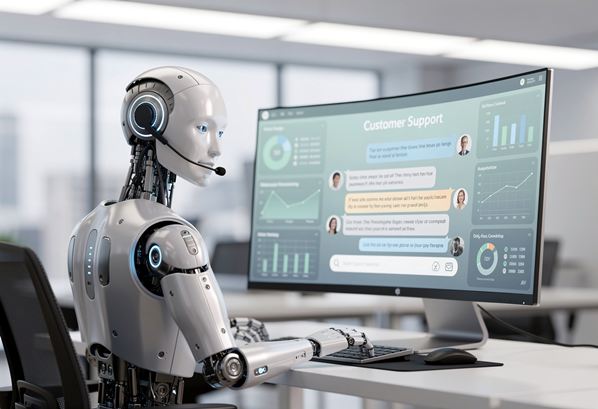
Jess Woodley, Head of Customer Services at HSS Training, shares the thinking behind the company’s first step with AI in Zendesk, and why it’s built around her team rather than a bot.
We have just gone live with AI in Zendesk at HSS Training. It would have been easy to start with a customer-facing chatbot, but we deliberately began with a co-pilot instead. This is an “agent assist” tool, which means it supports our human customer service agents while they work, helping to triage enquiries, rather than speaking to customers itself. Having spent a long time thinking about where AI fits in a service operation, I want to explain why we made that choice and what I’d suggest to other service leaders considering the same move.
1. Start with the work that doesn’t need a person
I lead a customer service department of around 41 people, all fully remote, split into four teams. Three of them look after customers, from one-off bookers through to our highest-spending accounts, and the fourth manages our relationships with outsourced suppliers. Between us we handle calls, live chat, emails and leads passed on by our regional sales team and trainers, following the customer from first contact through to feedback after the course has been delivered.
A lot of what arrives doesn’t need a human response. A client with a straightforward question could have the right answer in around ten seconds if the information were put in front of them, so that’s the work we want AI to take on first, leaving my team free for the conversations where their expertise makes a difference.
2. Decide what stays human before you automate anything
As a training provider, many of our enquiries concern accreditation and what a particular course requires, and these can be intricate enough that the customer needs someone who understands the detail and can talk it through. For that reason our position is clear: AI will not replace our expertise. The tool’s job is to work out whether an enquiry needs a person and, where it does, to get it to one straight away rather than leaving the customer with a bot. We’re also not planning to put AI in front of customers until we’re confident we’ve found the right balance, and we know where the human touchpoints need to be.
3. Judge it by the customer’s experience, not just your own efficiency
It’s tempting to bring in AI because it makes life easier for the business, but I think the better question is whether it makes things easier for the customer. We already hold ourselves to clear standards. When a request reaches my team, we aim to answer it quickly and accurately, which takes some of the complexity out of compliance. For customers with particularly complex situations, or who need extra support, I want to offer hands-on help earlier, from someone who will listen and understand what they really need. If AI gives my team the time and space to do that well, it’s doing its job.
For me, success looks like the combination of reduced resolution times for our customers along with positive experience shown through our CSAT scores. It is great for a ticket to be resolved, but did the customer get everything they need? If the answer is no, then the work isn’t done for me, and we need to review how we support our customers and agents.
4. Look beyond your own sector for the standard
We’re the largest training provider in our field, with the biggest customer support team and client base, but being the biggest isn’t the same as being known for the best service. I try to benchmark us against companies in other sectors, such as Amazon, where the technology works quietly in the background to make the customer’s experience quick and simple. Good service is the same whatever industry you’re in, and I’d encourage other managers to measure themselves against the best, not just their direct competitors.
5. Take it step by step, especially with a remote team
When people work from home, you can’t pick up on how someone is feeling by walking past their desk, so we’ve had to be deliberate about support. Our dashboards show our customer service agents as well as managers how the team is doing, which lets people see where they stand and lets me spot when someone might need a call to check they’re okay. We also run regular social chats and a 12-week wellbeing programme, because I firmly believe that a supported team delivers better service.
New technology has to fit with that culture and not leave people feeling watched or replaceable, which is one reason we’re starting small, with the tool working alongside our human agents, before we consider anything customer-facing.
We’re still early in this, but signs are already showing a reduction in response and resolution times, meaning our customers are being supported quicker. We are seeing that customers are also being connected with the right expertise within in our business first time, and that our team’s workload has reduced to give them the space to support more effectively. This ultimately has seen an uplift in team morale; as I have said, supported teams deliver better service. They get to do what they do best and reduce manual intervention where it isn’t needed so for me, the early signs have been positive all around. Once we’re confident the balance between AI and the human touch is right, we’ll look at what else we can offer our customers.
Before You Introduce AI: Questions to Ask First
If you’re thinking about a similar step, these are the questions I’d start with:
- What work in my team genuinely doesn’t need a human?
- Which conversations must always reach a person?
- How will I know it is improving the customer’s experience, not just reducing workload?
- How will my team feel about it, and how will I find out?
About the Author
Jess Woodley is Head of Customer Services at HSS Training.
Related Articles:

This Holiday Season, AI Agents Decide Which Brands Get Recommended

Customer Experience: Moving Away from Pure Self-Service to Welcome the Augmented Advisor

The Power of Reducing Customer Friction

Black Friday Is Won or Lost at the Returns Page, Warns SEKO Logistics

Complaints About Automated Nuisance Calls Nearly Triple – Why a Human Answer Matters